BMW Feature Installer
Unlock hidden features in your BMW with professional remote coding
Occasionally, you might need to apply or re-apply FSC codes to your BMW navigation system. Here's a straightforward method to handle it:
Search online for: "DOWNLOAD BMW FEATURE INSTALLER FREE"
Or use THIS LINK
Download the file, then run it to install the software.
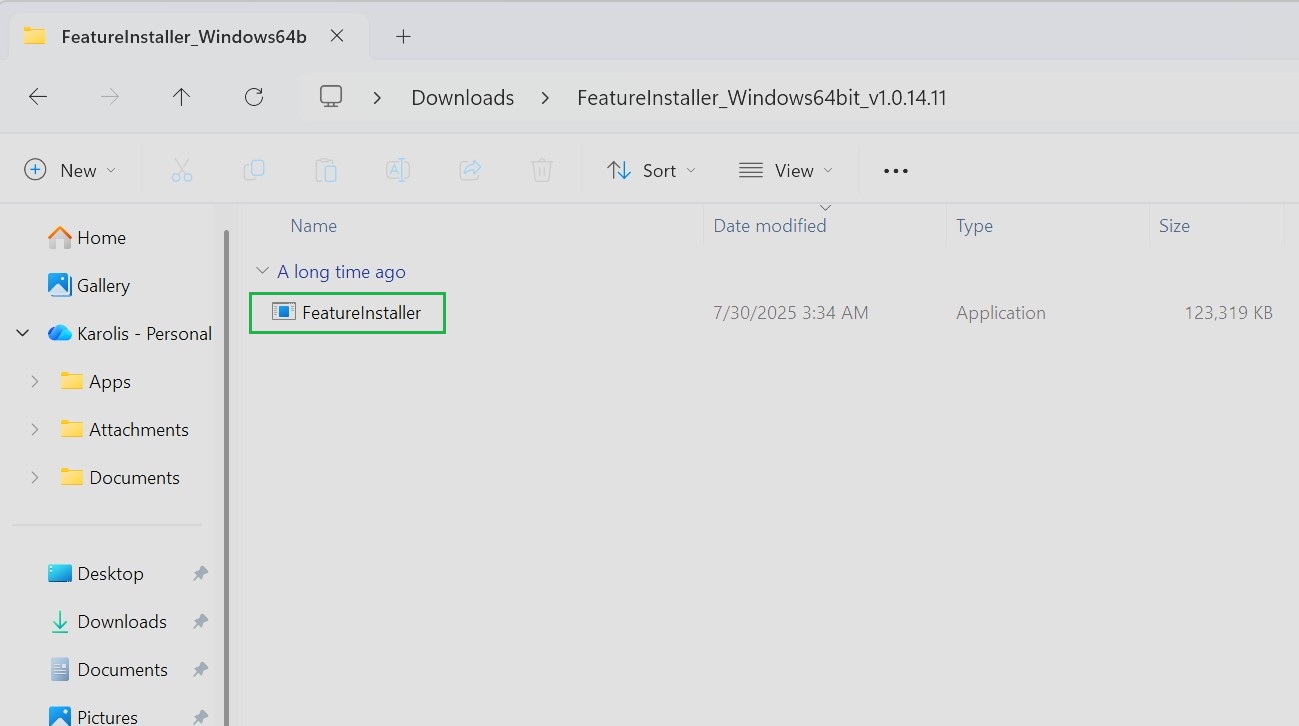
Most BMW owners also activate this
Once launched, you'll see the main interface. If your vehicle is properly connected, your car's VIN should appear automatically—refer to the table shown for confirmation.
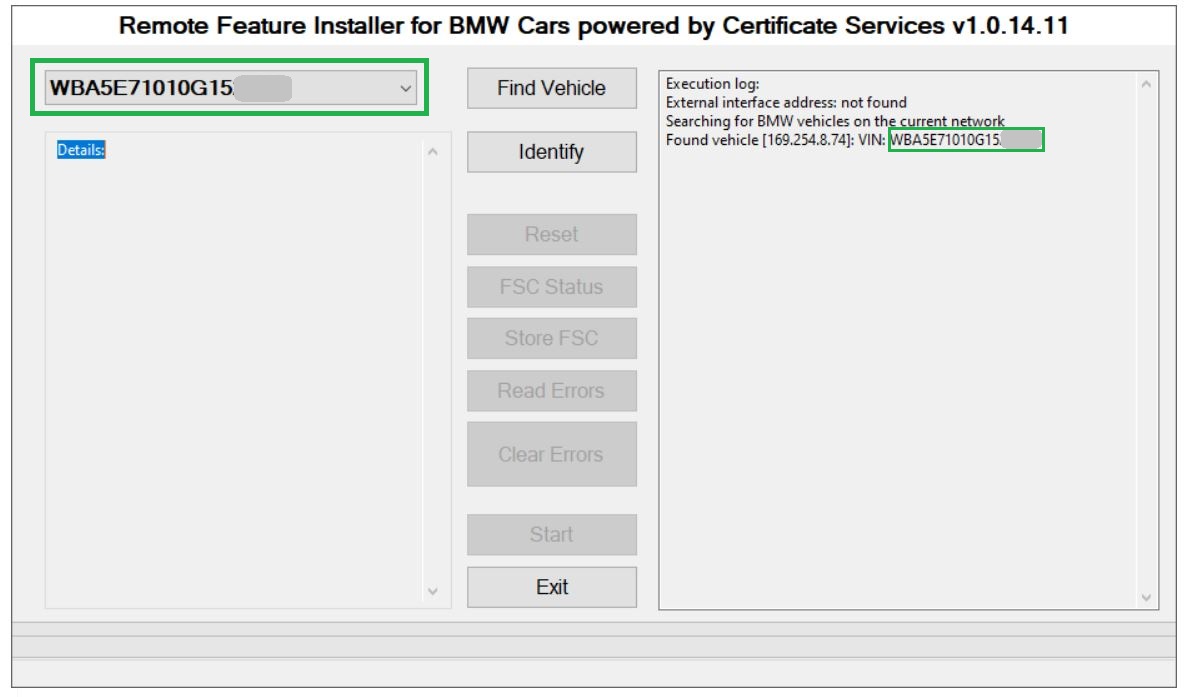
If the VIN doesn't display:
Double-check that the ENET cable is securely plugged in,
Make sure the ignition is turned ON.
Then click FIND VEHICLE.
Once the car is detected, hit the IDENTIFY button.
This will bring up a detailed status table.
In that table, locate the field for the Feature Installer code (FSC code) and enter the one you have.
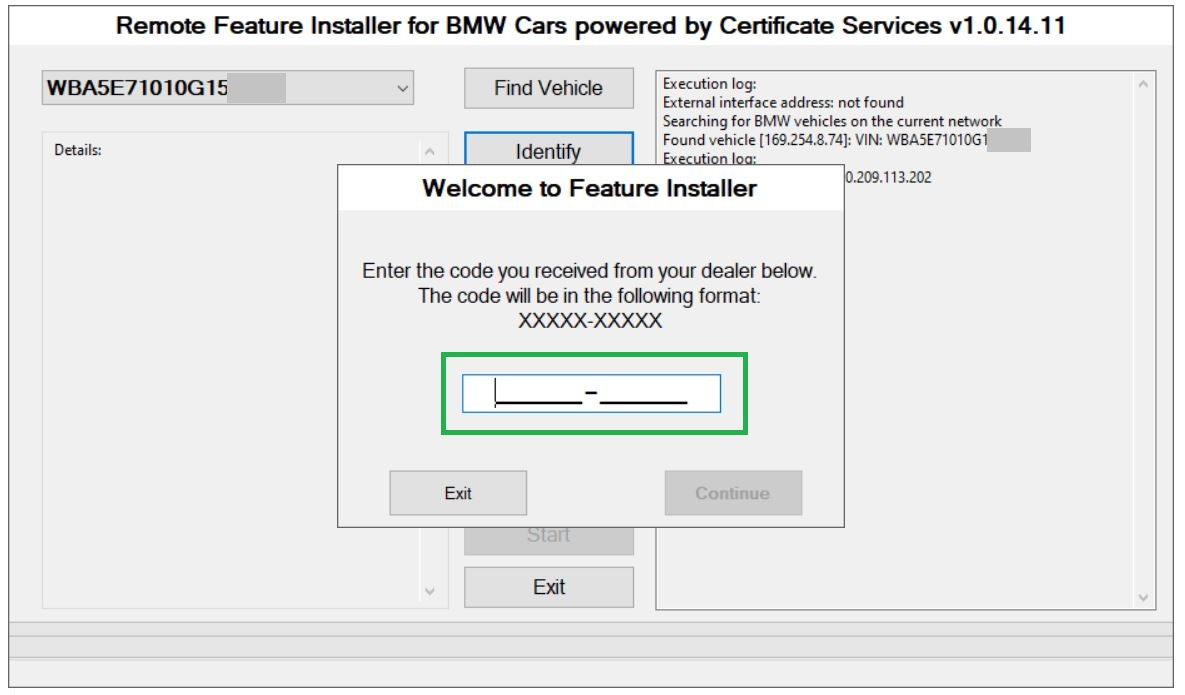
After submitting the code, the tool will verify it against your VIN and unlock additional options in the interface (as shown in example screenshots).
Scroll down to the bottom of the window and select the START button.
The tool will begin transferring the FSC data to your navigation head unit.
During this process:
A blue screen may appear on your car's main display—this is completely normal. Do not press anything or interrupt.
The navigation system might reboot multiple times—this is expected behavior.
Important: Do not touch the computer, cable, or car controls until you see SUCCESS displayed in the Feature Installer table.
At that point, the FSC codes have been successfully installed into the system, and a backup copy of the FSC file will be saved to your desktop.
Finally:
Safely close the program,
Disconnect your computer from the vehicle,
Remove the ENET cable from the OBD port.
That's it—your navigation system should now have the updated FSC codes applied.
To update the BMW MAPS, please follow these steps:
Upload the FSC file to a USB drive together with the map files.
Among the map files, create a folder named FSC and place the FSC file inside that folder.
Then insert the USB drive into your vehicle’s USB port.
Get Started Today
Contact us to activate features in your BMW